Batch mode
Compare many deck pairs in one pass instead of loading Before/After one pair at a time.
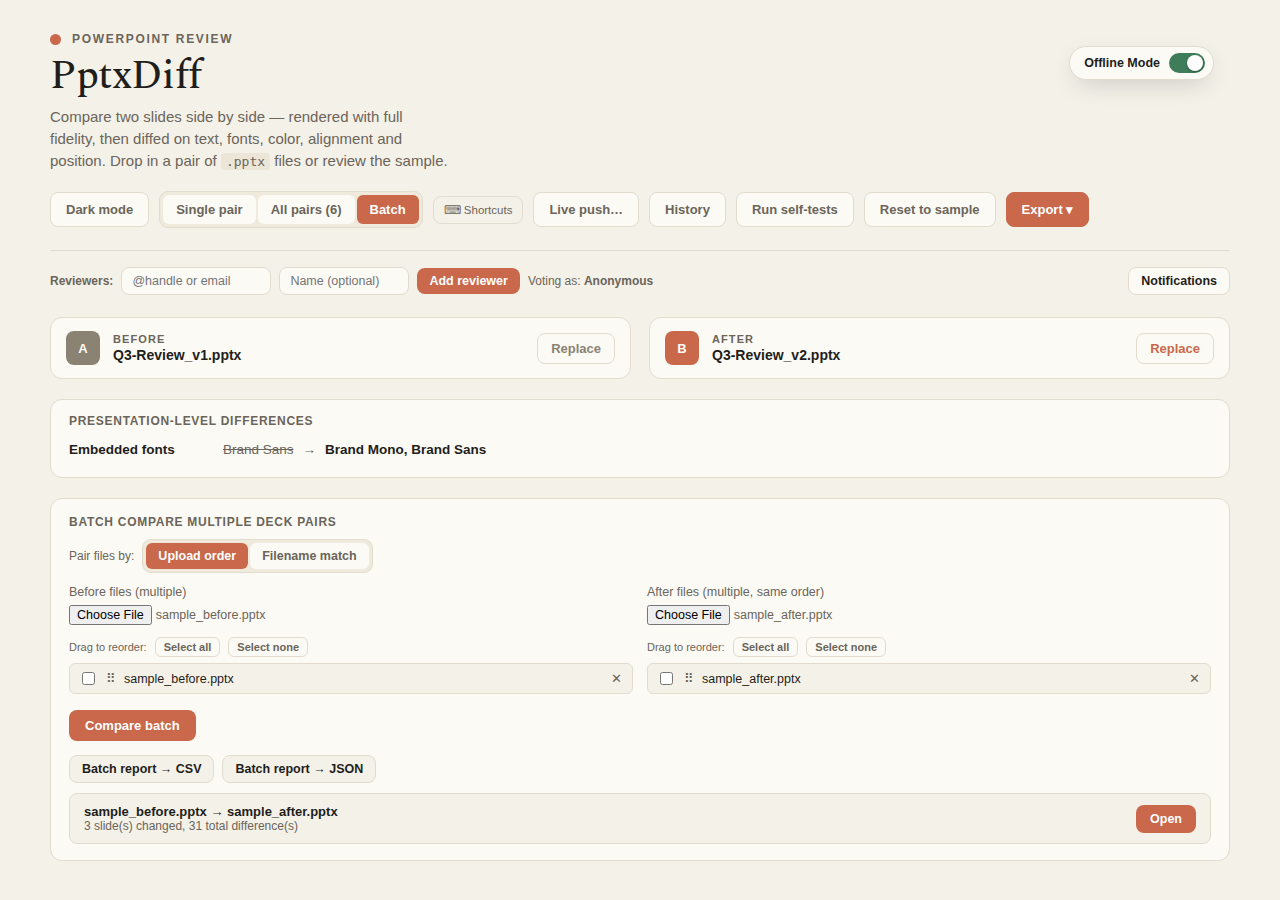
Uploading
Upload multiple Before files and multiple After files. Two pairing modes are available:
- Upload order (default) — the n-th Before file is paired with the n-th After file.
- Filename similarity — pairs files by a bigram Dice coefficient over filenames (
filenameSim/pairFilesByName), useful when filenames roughly match but upload order doesn't.
Files that can't be matched surface as their own "no match found" row rather than being silently dropped.
Reordering
Each side's file list supports drag-to-reorder (drag handle + remove button), with the same behavior available via touch (touchstart/touchmove/touchend, using elementFromPoint to find the row under your finger) for mobile/tablet use — plus a floating drag-preview ghost that follows your finger during a touch drag. Order matters whenever the pairing mode is "Upload order."
Rows also support checkboxes with Select all / Select none / Remove selected (N) for bulk cleanup before running the batch.
Running
Batch mode does a fast, diff-only parse — no rendering — to keep large batches responsive, and shows a real progress bar (batchProgress/batchTotal) rather than a static "Parsing…" label. The results table shows, per pair:
- Diff count
- Cross-deck duplicate count (see Duplicate detection — batch mode runs this check per pair too)
Click Open on any row to load that pair into the full single/all-pairs view, with rendering, for a closer look.
Exporting batch results
Batch report → CSV/JSON export buttons summarize every pair's diff counts and duplicate notes without needing to open each one individually.